


YouTube is indispensable for learning. But it wasn’t built for practicing. Every replay takes multiple tries. Every adjustment breaks your focus. Every missed tap pulls you out of the music. Benjamin fixes that.

You tap the seek bar and miss. You slow the video down, but only in 25% jumps. You want to repeat that one riff, so you scrub back but overshoot it. You break your rhythm, and slow down your progress.
YouTube is the world's largest music school.
But the interface was built for watching, not working.
That changes now.

Benjamin is the missing link in your YouTube learning journey. An all-new platform that unlocks new features, enables one-tap looping, and gives you complete, tactile control over your learning materials with dedicated buttons.
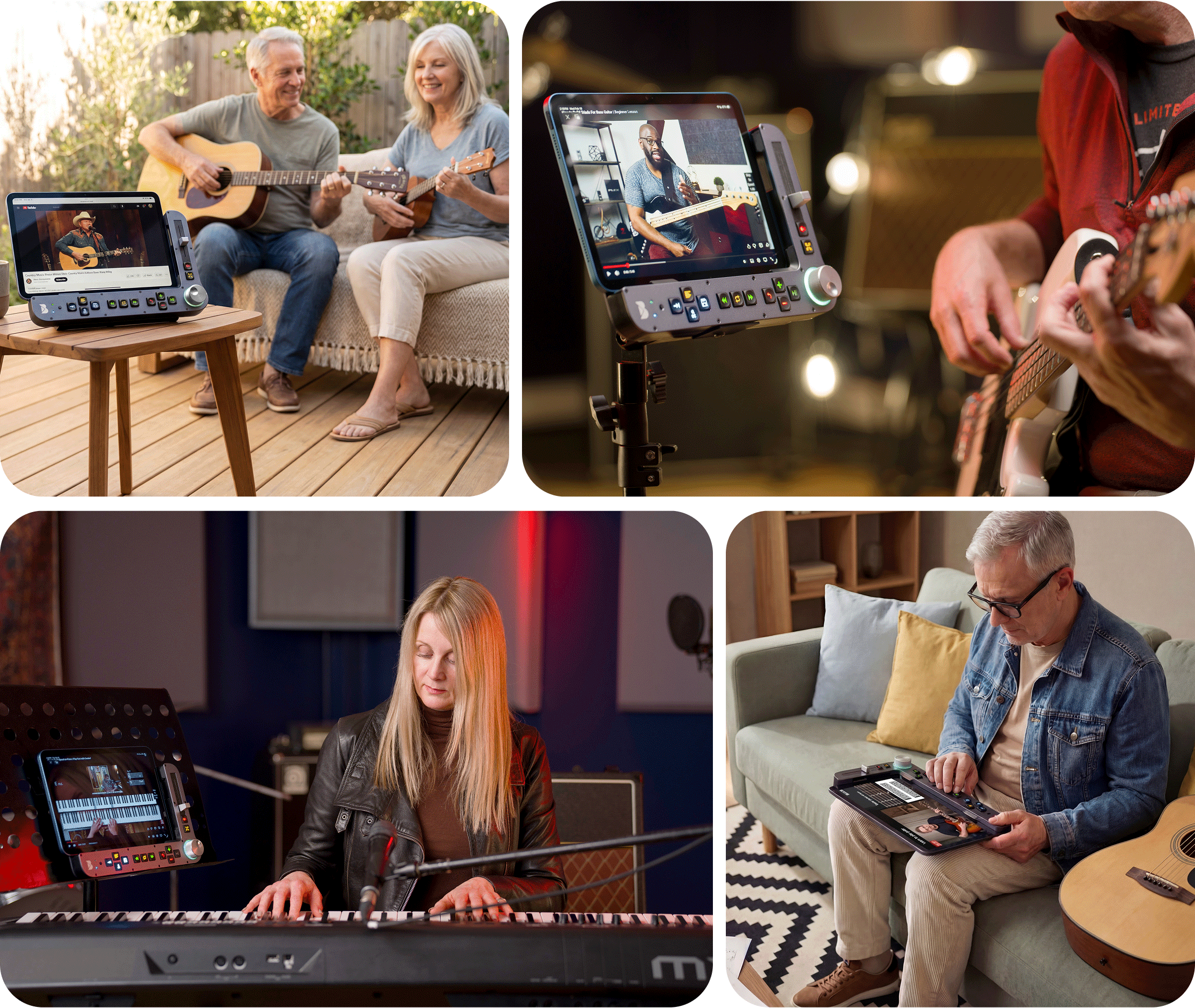
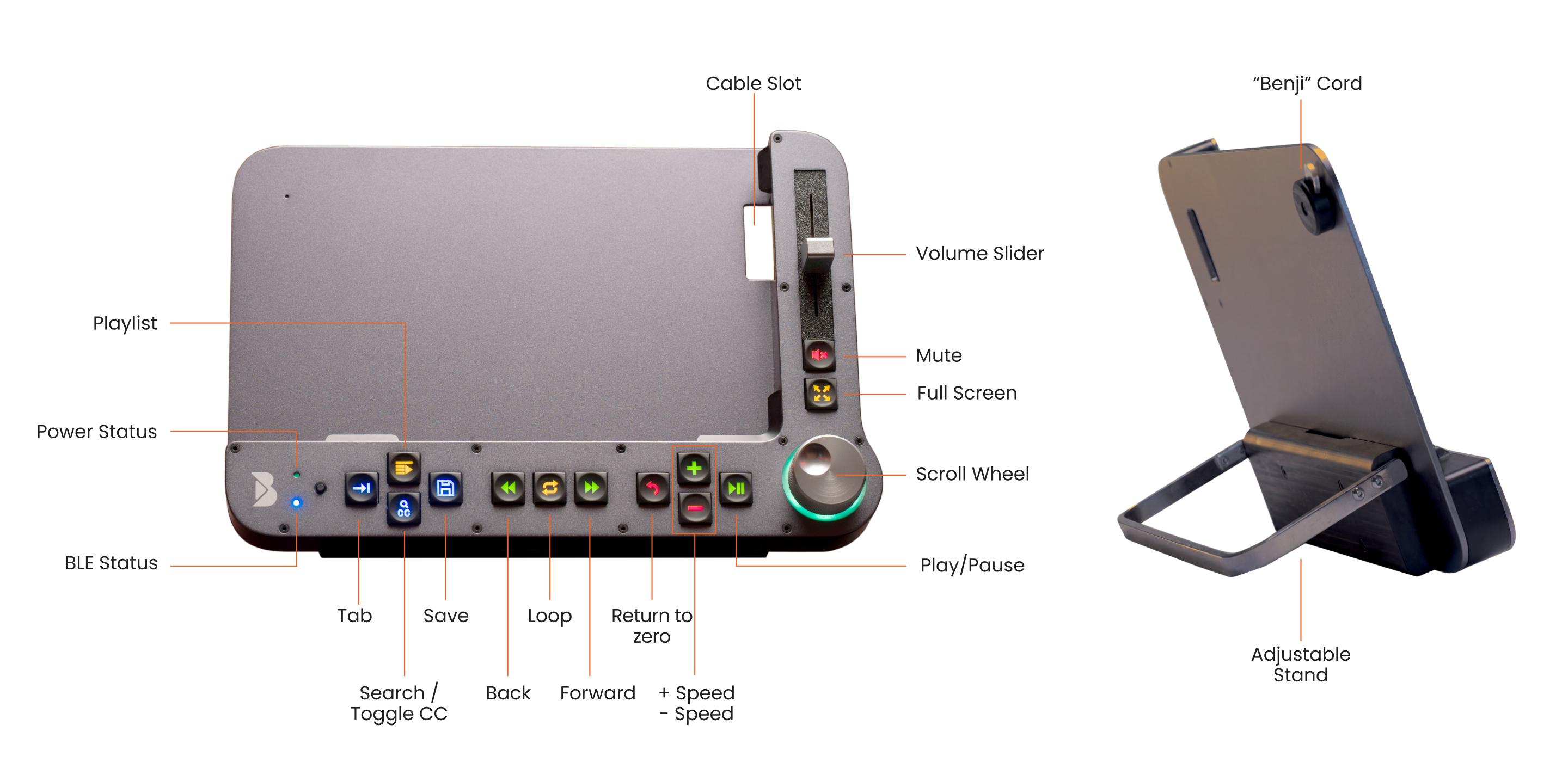
Pause, play, rewind, create and replay loops, scrub frame-by-frame, and more.
Build the muscle memory, and you’ll stop thinking about the interface entirely.
Nothing left between you and the music.

Benjamin was designed around one idea: every action you take while practicing should have a physical button and be easy to control, without even thinking about it.
No menus. No searching. No touching the screen.
Every function is one press, always in the same place, always ready.

Turn the tactile scroll wheel and the video moves with you. 1 second, 5 seconds, 10 seconds, chapter by chapter, even frame by frame. Enjoy the precision YouTube had been missing.
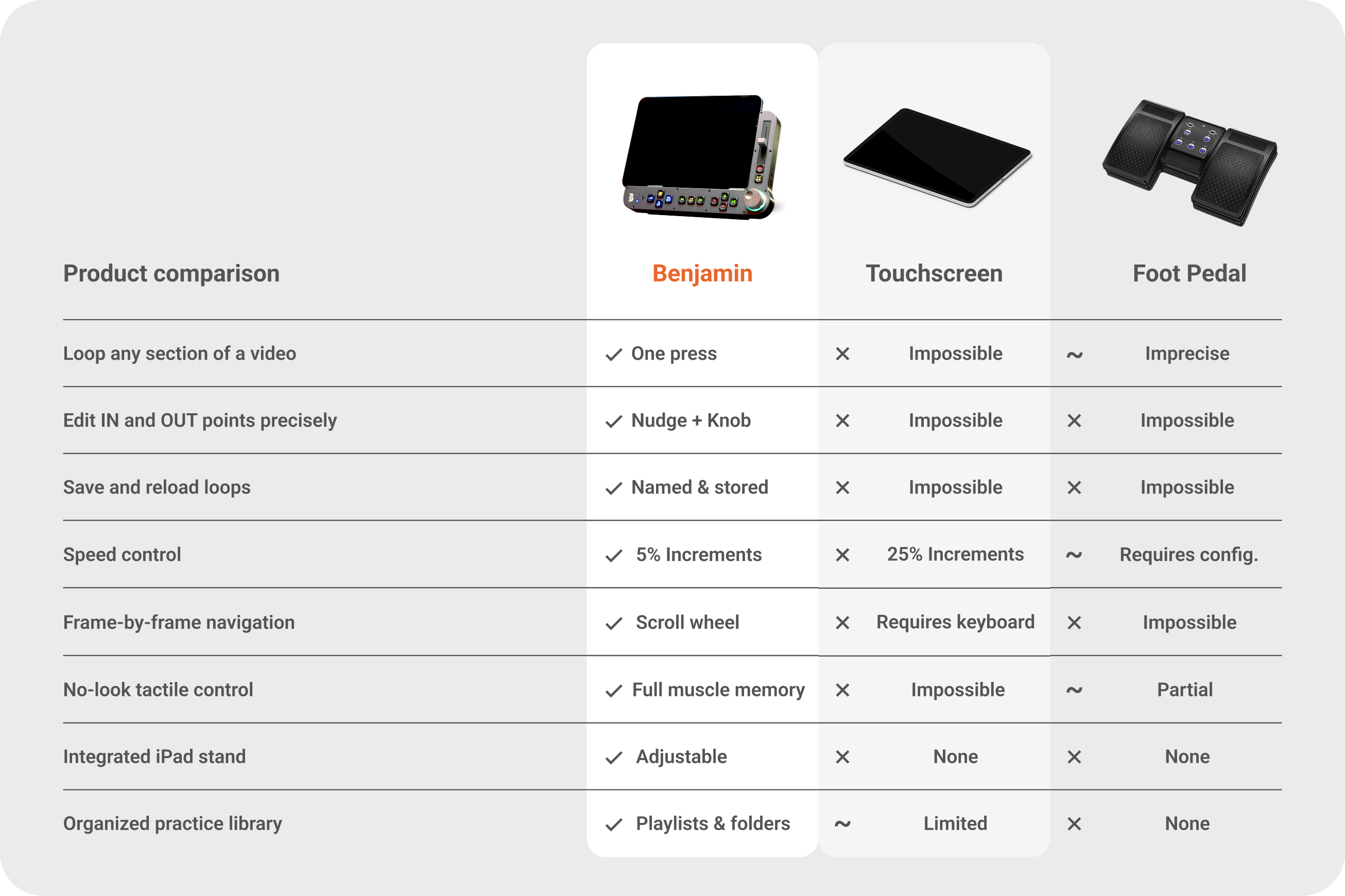
Perfect the exact part you want to focus on, without the constant manual rewinding. Press once to set your IN point. Press again to set your OUT point, and the loop starts automatically, repeating cleanly, until you've got it.
Use the dedicated back/forward buttons to nudge your loop boundaries. For finer control, hold the IN or OUT button and turn the scroll wheel to move the marker frame by frame.
Sign up now so you don’t miss our late September launch.
Every loop you create can be named and saved, right inside the Benjamin app. So when you sit down tomorrow, your work is already waiting. The sections you've isolated, the passages you've been working through, all ready for the next time.
Add loops, bookmarks, and videos into named playlists. Organize by song, by technique, by wherever you are in the work. One press of the Playlist button brings it all back, so you can pick up exactly where you left off.
YouTube slows video in 25% increments. That's either too much, or not enough. Benjamin gives you 5% increments. Slow down just enough to hear the transition clearly. Speed back up gradually as confidence builds. Reset to full tempo with one press.
Sign up now so you don’t miss our late September launch.

Play, pause, or resume without breaking concentration or losing your place.
Adjust volume using the slider. Hit mute to silence. Fast and precise.
Toggle captions on and off instantly, without ever touching the screen.
No typing. Find any video by pressing the button and naming the title by voice.
Fill the screen the moment you need a better view. One click to go fullscreen, one to go back.
Easily dim or brighten the controls to match your environment.
In addition to YouTube, Benjamin can control local files and Apple Music, letting you practice your favorite tune no matter where they are.

YouTube alone, a Bluetooth remote, or a page-turner foot pedal… they’re all limited in how they help you learn. Benjamin gives you a complete set of controls.

Benjamin turns their videos into a real practice tool. Loop the exact moment that matters. Slow it down without losing the feel. Come back tomorrow and pick up right where you left off.
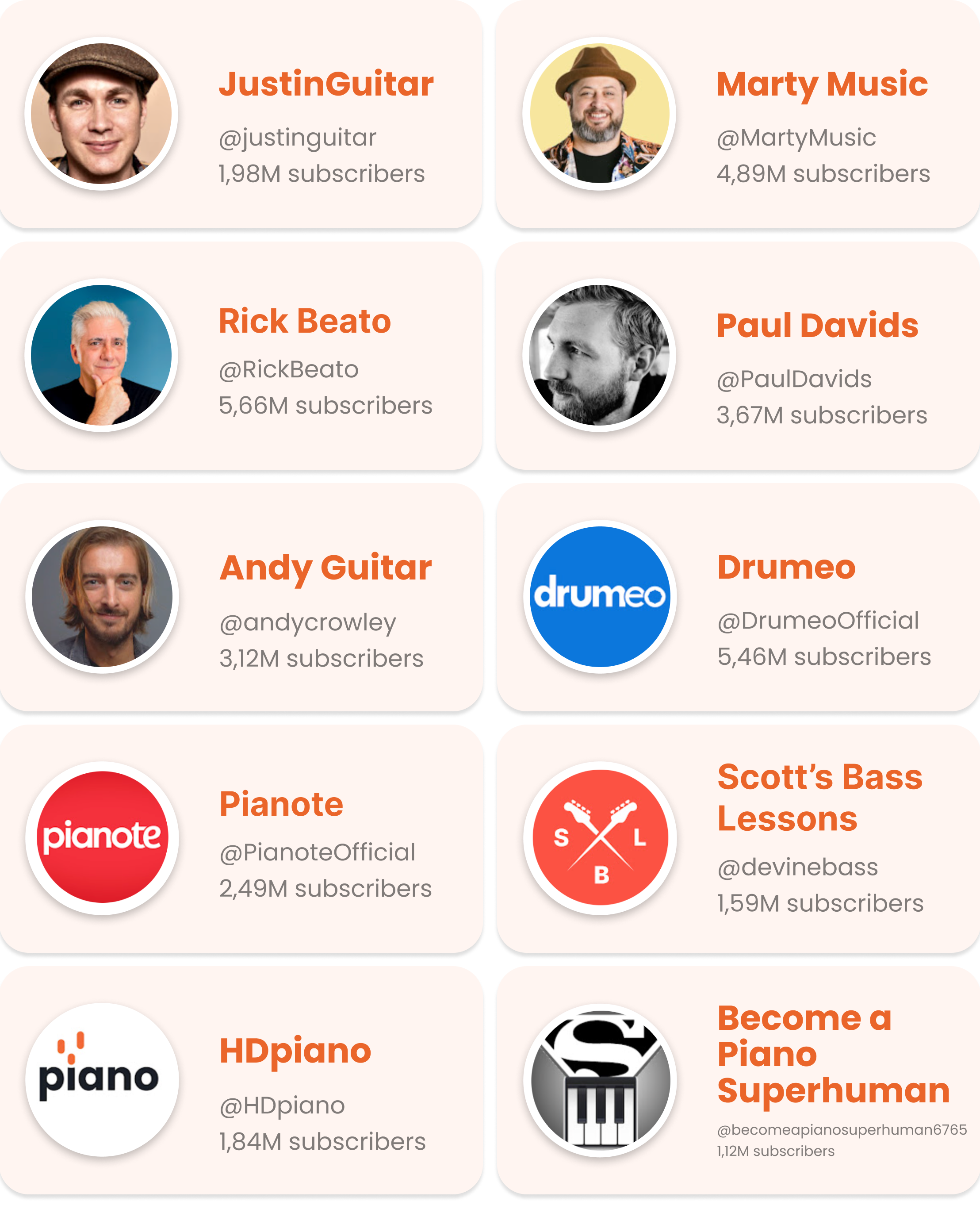
Benjamin is an independent tool for learning and is not affiliated with YouTube or the creators featured above. All content and trademarks remain the property of their respective authors.
We just love teachers who are good at what they do.
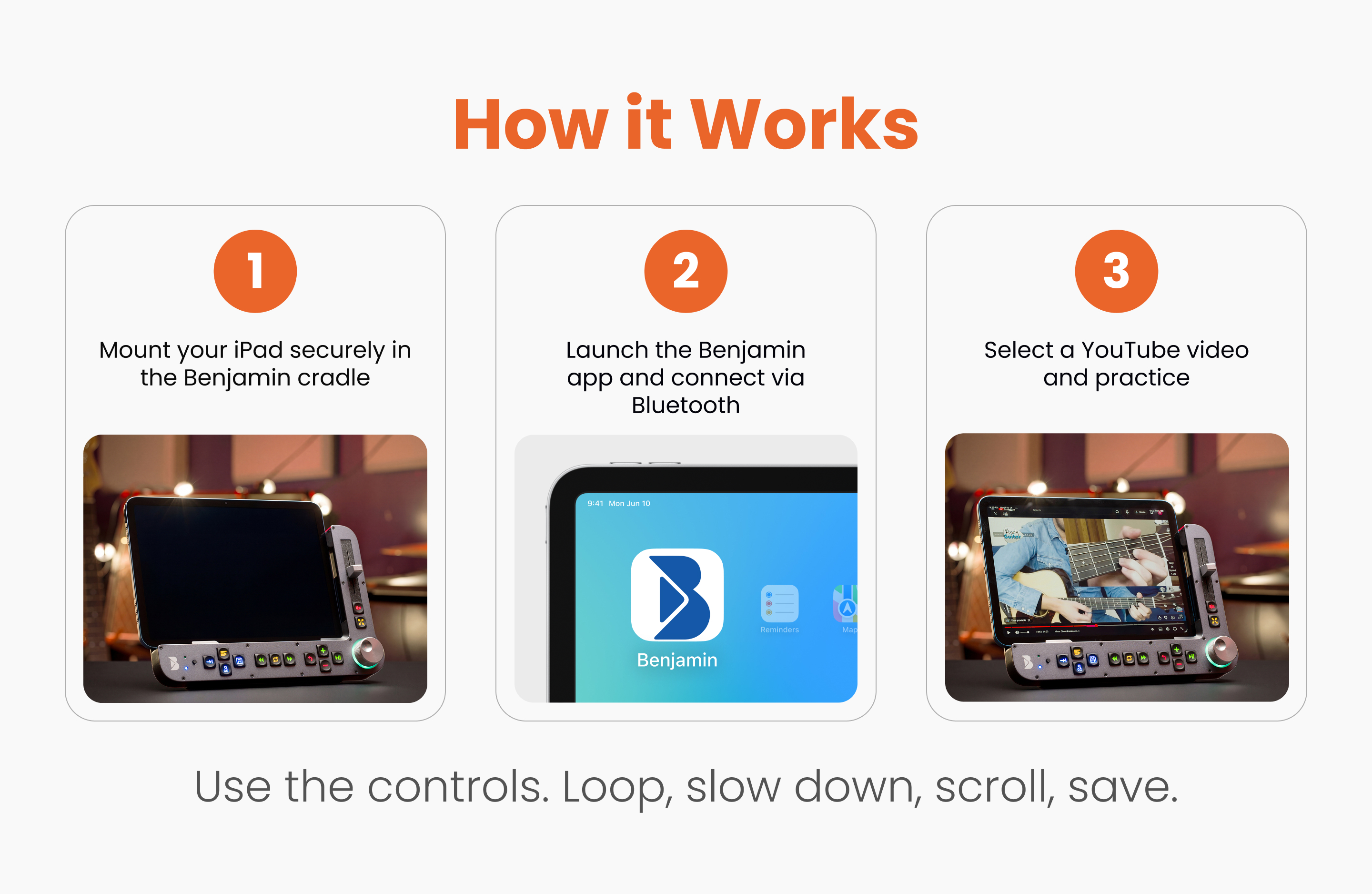
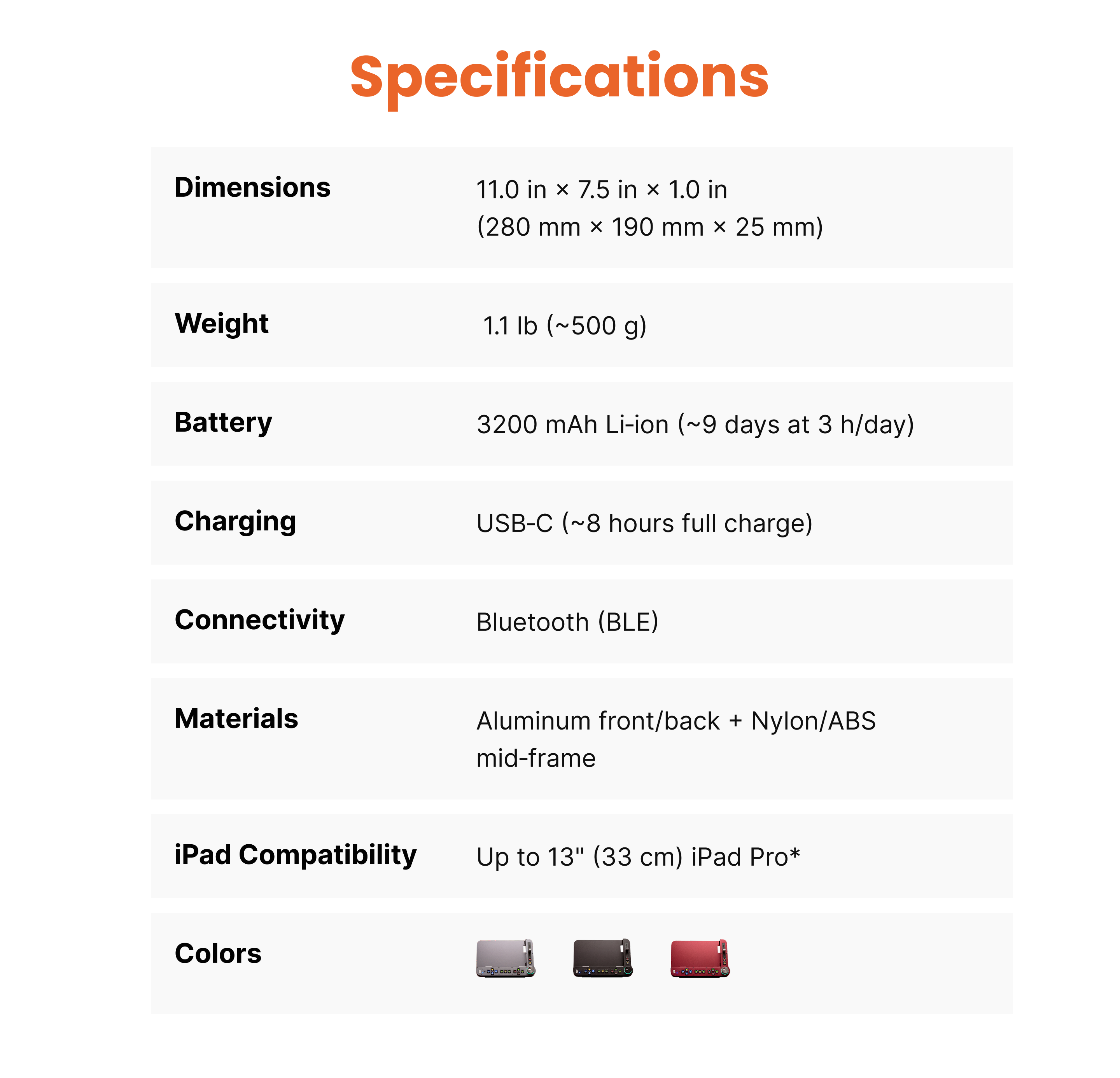
Benjamin works with any iPad running iOS 16 or later, from the iPad mini to the 13" iPad Pro. It connects wirelessly over Bluetooth. It also mounts on standard tripods and VESA systems, so you can position it exactly where your setup needs it.
Sign up now so you don’t miss our late September launch.
Adjust Benjamin’s stand to your preferred viewing angle or mount on a telescopic stand to set your preferred height and angle.

Sign up now so you don’t miss our late September launch.